
Overview
Call Logs shows every call processed through your agency’s voice assistants, with search, filters, transcripts, and recordings for troubleshooting and quality review.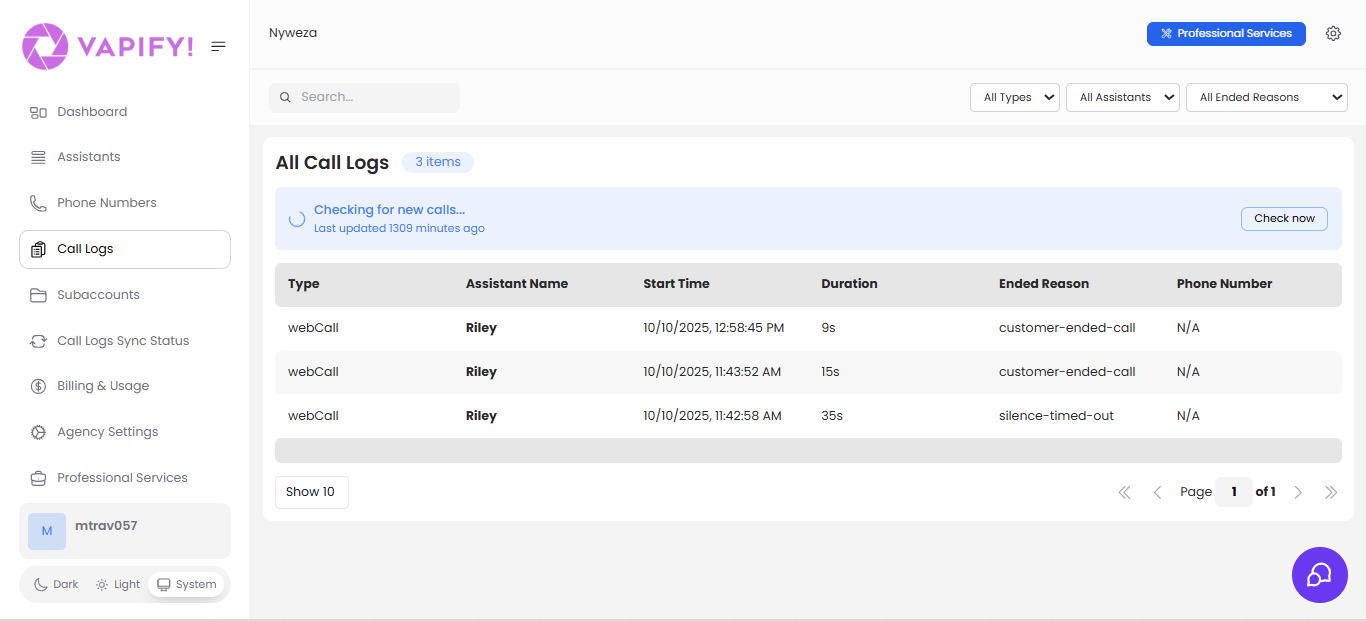
Call logs only sync after a sub account’s Billing Start Date is set. If a sub account hasn’t gone live, its calls won’t appear here.
Common Tasks
Find a specific call
Use the search bar to match assistant names, phone numbers, or any text in the logs. Combine with the three filter dropdowns:- All Types:
webCall(voice widget/browser) orPhone Call(PSTN) - All Assistants: scope to one assistant across all your sub accounts
- All Ended Reasons: e.g.,
customer-ended-call,silence-timed-out,assistant-ended-call,assistant-error,exceeded-max-duration
Check for new calls
The page shows “Last updated X minutes ago” and auto-checks periodically. Click Check now to refresh immediately without reloading the page.Review a call in detail
Click any row to open its transcript, recording (if enabled), full timestamps, and cost/billing details.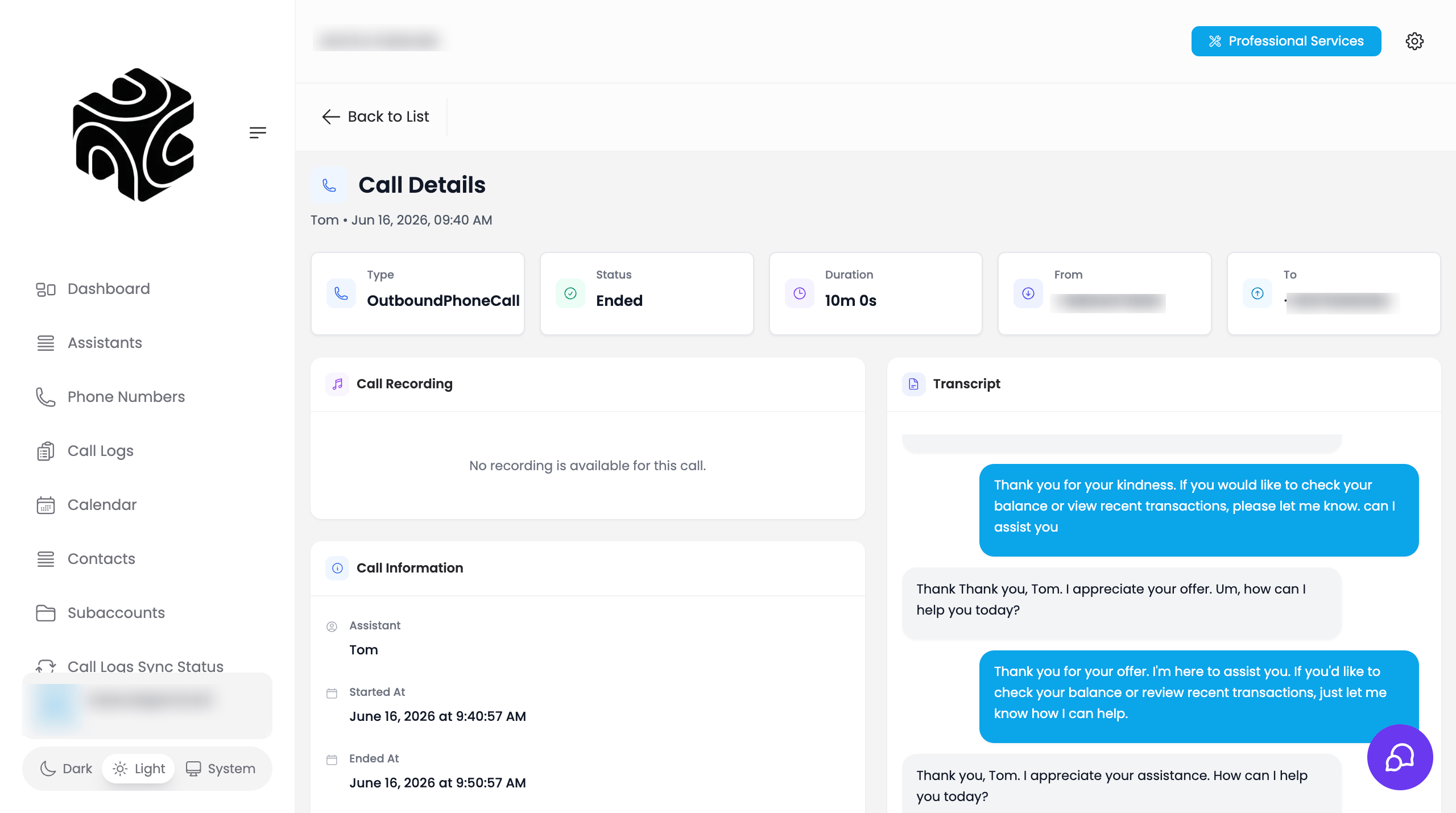
Change how many calls are shown
Use the Show X dropdown (10/25/50/100) at the bottom left, and the page navigation controls at the bottom right.Related Articles
- Dashboard: the aggregate metrics behind these logs
- AI Assistants: which assistant handled which call
- Understanding Sub Accounts: why calls don’t appear before go-live