
Overview
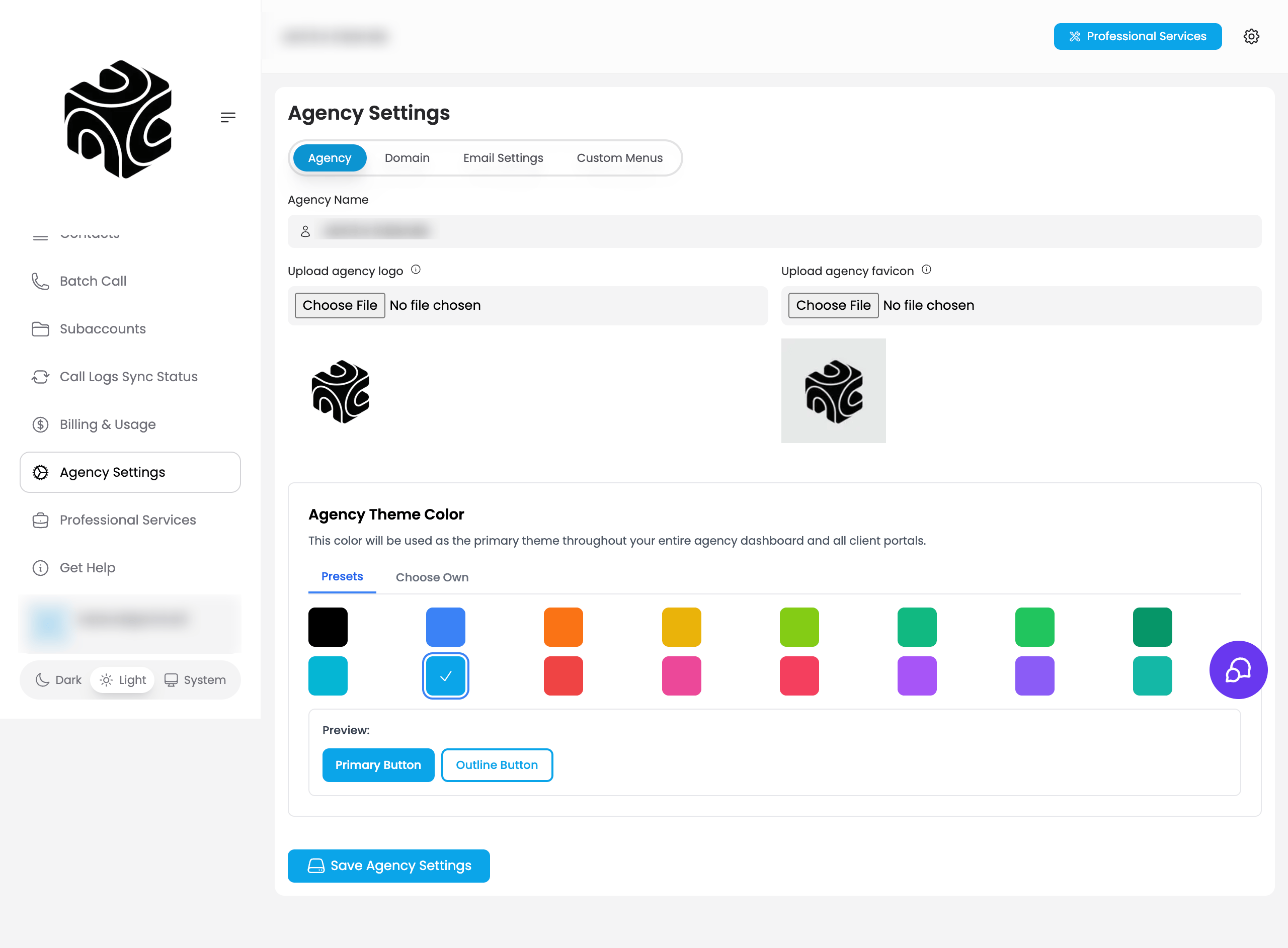
This is the first step of the onboarding wizard. It sets the identity your clients will see throughout the platform (your agency name, logo, and favicon) instead of Vapify’s.Prerequisites
- A Vapify agency account (created at signup)
Steps
1
Enter your Agency Name
From the onboarding wizard’s Agency Details step (or later, Agency Settings → Agency tab), enter your Agency Name. Use your registered business name. It appears in the dashboard, client-facing areas, emails, and invoices.
2
Upload your Agency Logo
Use a high-resolution PNG, 200×200px minimum (400×400px recommended), ideally with a transparent background.
3
Upload a Favicon
The small icon shown in browser tabs. Keep it simple; complex logos don’t read well at 16×16px.
4
Save
Click Save & Continue.
Branding changes require you to log out and log back in before they appear across the platform.
Video Tutorial
Troubleshooting
- Logo or favicon not appearing: Log out and back in, clear your browser cache, and confirm your file is under 2MB (logo) or 100KB (favicon).
Related Articles
- Custom Domain: extend branding to your own subdomain
- Custom Email: send platform emails from your own domain
- Agency Branding: full reference for logo, favicon, and name specs