
Overview
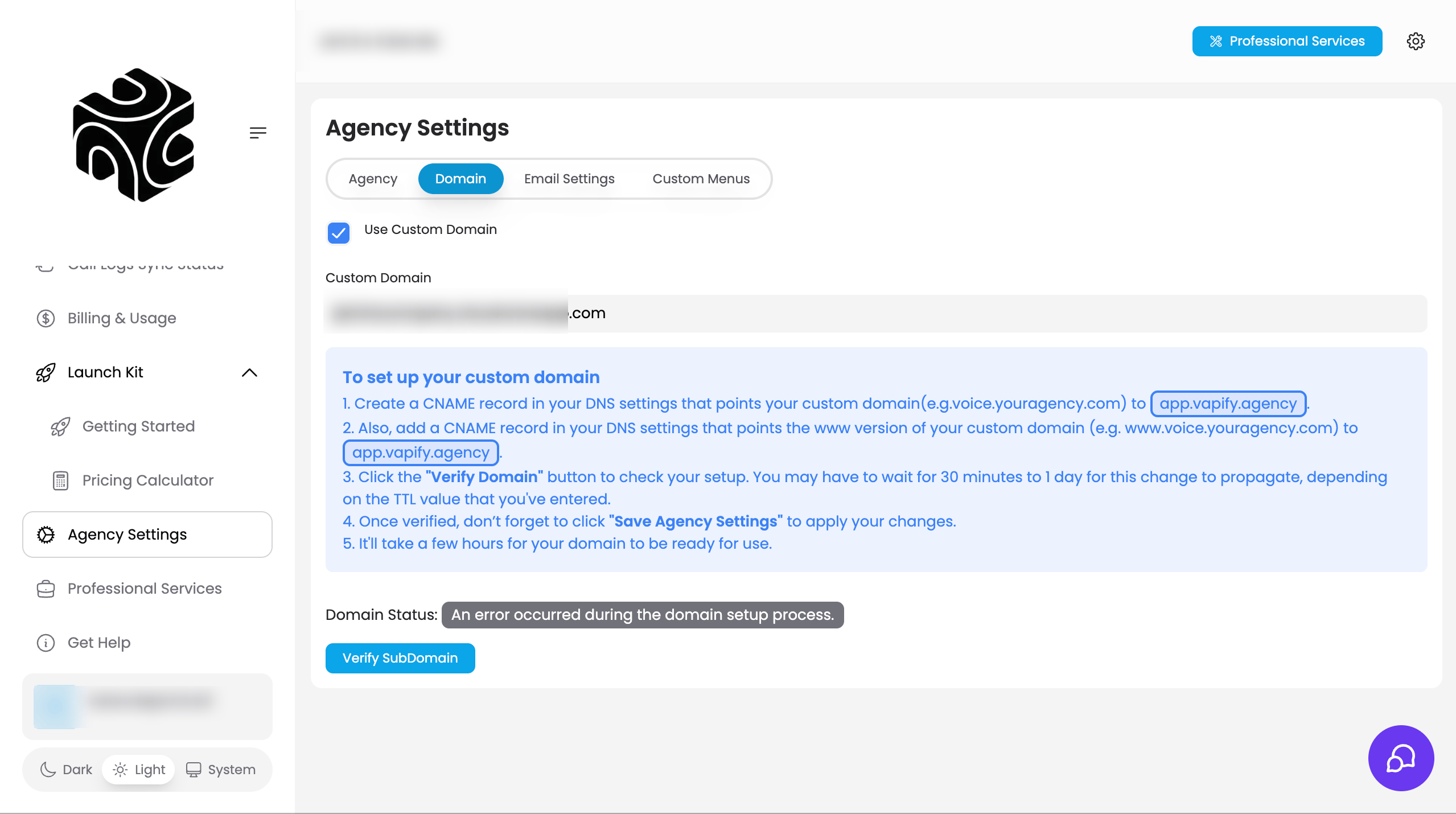
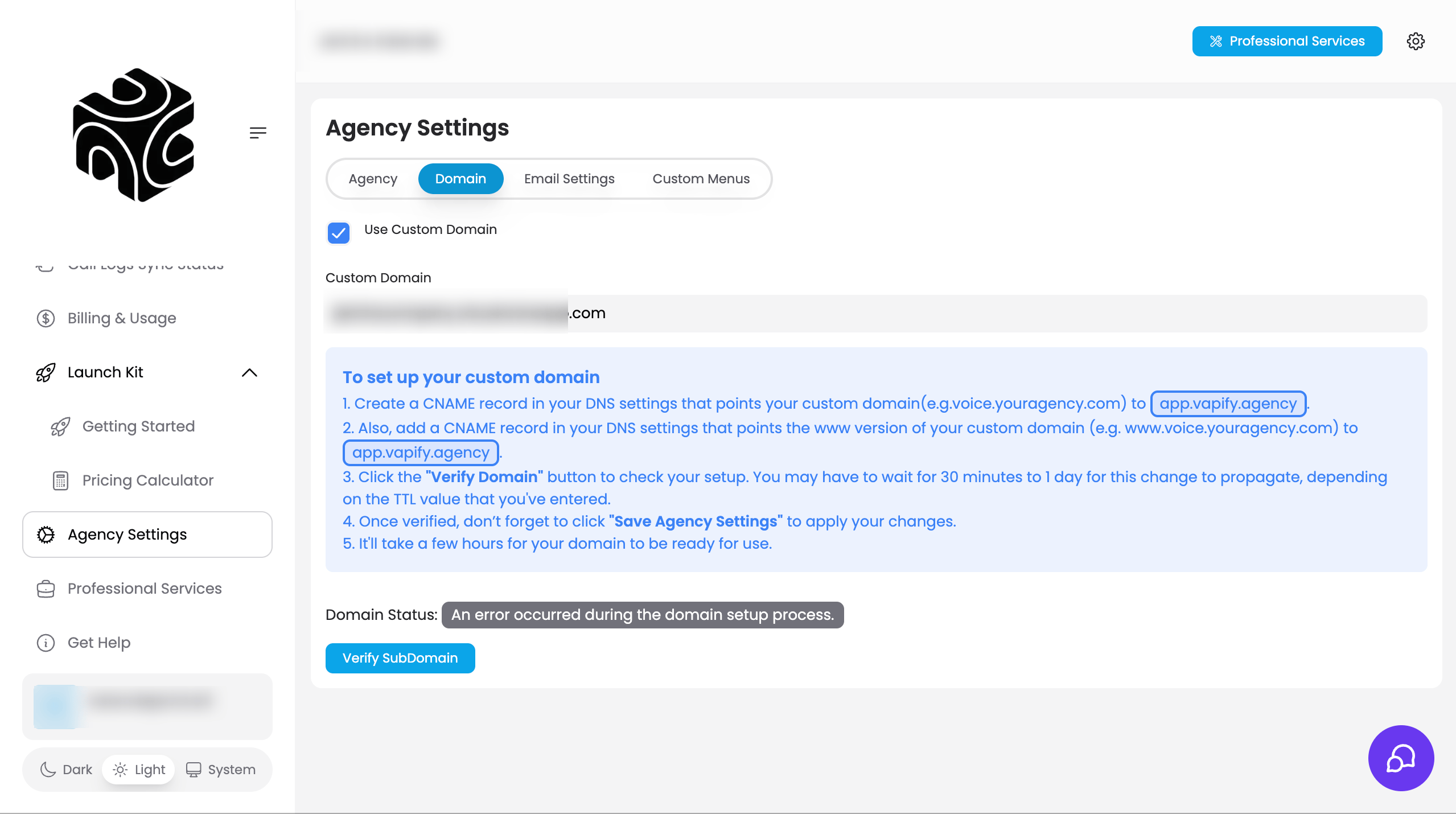
A custom subdomain (e.g.,voice.youragency.com) replaces app.vapify.agency for your clients, completing the white-label experience.
Prerequisites
- A paid plan (Starter, Business, Scale, or Partner). Not available on Free
- Access to your domain’s DNS settings
Steps
- Go to Agency Settings → Domain tab.
- Contact support@info.vapify.agency to receive your unique CNAME target.
- In your DNS provider (Cloudflare, GoDaddy, Namecheap, Google Domains, AWS Route 53, etc.), create a CNAME record: Name/Host = your subdomain (e.g., “voice”), Value/Points to = the target Vapify support gave you, TTL = Auto or 3600.
- Back in Vapify, enter your full subdomain (e.g.,
voice.youragency.com) in the Custom Subdomain field and click Verify Domain. - Once verified, test by navigating to your custom subdomain in a new browser window. You should see the Vapify login page with your branding.
DNS propagation can take a few minutes to 48 hours. If verification fails immediately, wait 1-2 hours and try again. The default
app.vapify.agency URL keeps working after your subdomain goes live.Troubleshooting
- Verification failing: Wait for DNS propagation, confirm you used a CNAME (not an A record), check for typos, and use a tool like whatsmydns.net.
- Subdomain not loading: Clear your browser cache, try incognito mode, and allow up to 48 hours for full propagation.
Related Articles
- Agency Branding: the rest of your brand identity
- Custom Email: matching your domain in emails
- Client Experience: how the subdomain fits the client’s view