
Overview
Clients fund calls from two separate wallets: Balance and Credits. Understanding the difference prevents billing confusion.Balance vs. Credits
Credits are always consumed before Balance. Example: $25 Credits + $75 Balance = $100 available. After a $30 charge: Credits drop to $0, Balance drops to $70.
When Balance is required
- Monthly Fee + Per-Minute model: Balance is required for every per-minute charge.
- Monthly Packages model: Balance is only needed to cover overage once included minutes are used.
- Demo accounts: not required; demo calls are free.
Adding Credits
From the sub account’s Billing tab, click Add Credits to grant promotional or bonus funds. Credits cannot be removed once added.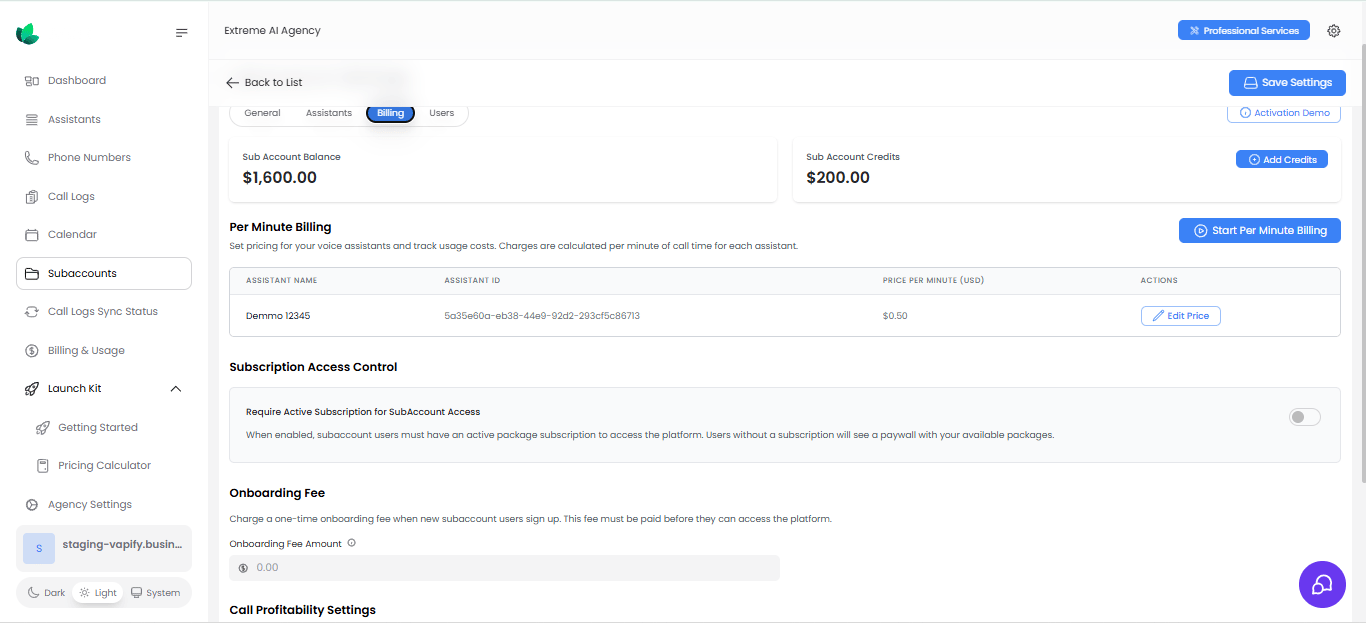
Low balance behavior
As Balance runs low, clients see dashboard banners and (if configured) email alerts; at $0, service is suspended until funds are added. Clients can enable auto top-up to replenish Balance automatically. See Notifications to adjust alert thresholds.Related Articles
- How Billing Works: where Balance and Credits fit in the money flow
- Pricing Models: how Balance funds per-minute and overage charges
- Notifications: low-balance alert configuration