> ## Documentation Index
> Fetch the complete documentation index at: https://docs.vapify.agency/llms.txt
> Use this file to discover all available pages before exploring further.
# Agency Branding
> Reference for agency name, logo, and favicon specs and where they appear.
## Overview
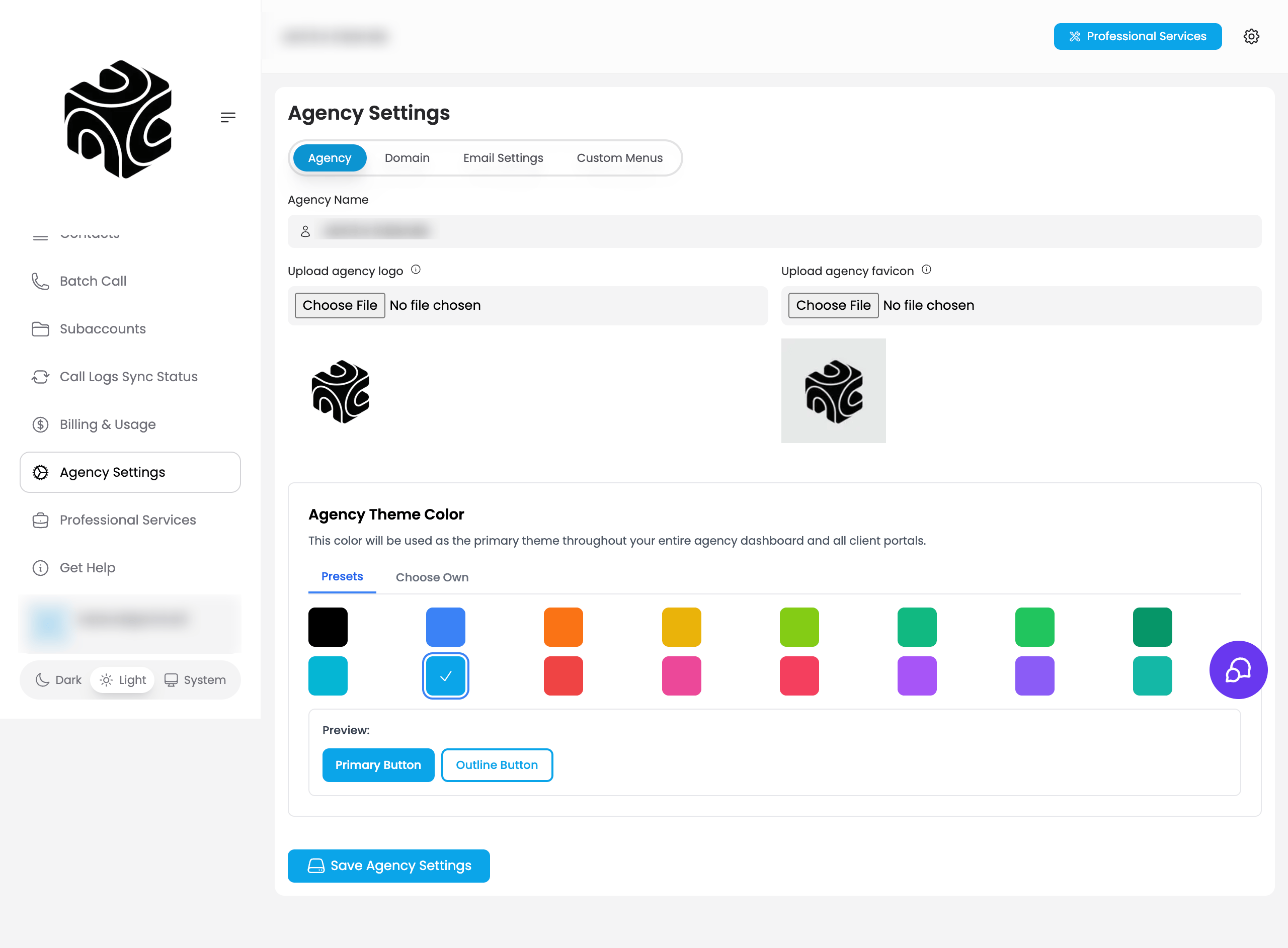
Your agency name, logo, favicon, and theme color are available on every plan, including Free, and appear across the entire client-facing experience. They're set on the **Agency** tab of **Agency Settings** (alongside the **Domain**, **Email Settings**, and **Custom Menus** tabs).
 ## Where branding appears
| Element | Appears in |
| --------------- | ------------------------------------------------------------------------------------------- |
| **Agency Name** | Dashboard header/navigation, client dashboards, emails, login pages, invoices |
| **Agency Logo** | Top-left of dashboard, client dashboards, email headers, loading screens, printed documents |
| **Favicon** | Browser tab when clients access your platform |
| **Theme Color** | Primary color across your whole agency dashboard and all client portals |
## Specifications
| Asset | Format | Minimum size | Recommended | File size limit |
| ----------- | ---------------------------------- | ------------------ | ---------------------------------- | --------------- |
| **Logo** | PNG (transparent preferred) or JPG | 200×200px | 400×400px, square or 2:1/3:1 | Under 2MB |
| **Favicon** | ICO or PNG | 16×16px or 32×32px | Simple, recognizable at small size | Under 100KB |
## Agency theme color
On the **Agency** tab, **Agency Theme Color** sets the primary color used throughout your dashboard and every client portal. Pick a **Preset** swatch or use **Choose Own** for a custom color; a live preview shows how primary and outline buttons will look.
## Updating branding
Go to **Agency Settings → Agency tab**, update the fields, and click **Save Agency Settings**.
Logo and favicon changes require a log out/log in cycle to appear across the platform.
## Troubleshooting
* **Logo or favicon not appearing**: Log out and back in, clear your browser cache, and confirm file size and format meet the specs above.
## Related Articles
* [Brand Your Agency](/getting-started/brand-your-agency): first-time setup walkthrough
* [Custom Domain](/white-label/custom-domain): extending branding to your own URL
* [Custom Email](/white-label/custom-email): branding platform emails
## Where branding appears
| Element | Appears in |
| --------------- | ------------------------------------------------------------------------------------------- |
| **Agency Name** | Dashboard header/navigation, client dashboards, emails, login pages, invoices |
| **Agency Logo** | Top-left of dashboard, client dashboards, email headers, loading screens, printed documents |
| **Favicon** | Browser tab when clients access your platform |
| **Theme Color** | Primary color across your whole agency dashboard and all client portals |
## Specifications
| Asset | Format | Minimum size | Recommended | File size limit |
| ----------- | ---------------------------------- | ------------------ | ---------------------------------- | --------------- |
| **Logo** | PNG (transparent preferred) or JPG | 200×200px | 400×400px, square or 2:1/3:1 | Under 2MB |
| **Favicon** | ICO or PNG | 16×16px or 32×32px | Simple, recognizable at small size | Under 100KB |
## Agency theme color
On the **Agency** tab, **Agency Theme Color** sets the primary color used throughout your dashboard and every client portal. Pick a **Preset** swatch or use **Choose Own** for a custom color; a live preview shows how primary and outline buttons will look.
## Updating branding
Go to **Agency Settings → Agency tab**, update the fields, and click **Save Agency Settings**.
Logo and favicon changes require a log out/log in cycle to appear across the platform.
## Troubleshooting
* **Logo or favicon not appearing**: Log out and back in, clear your browser cache, and confirm file size and format meet the specs above.
## Related Articles
* [Brand Your Agency](/getting-started/brand-your-agency): first-time setup walkthrough
* [Custom Domain](/white-label/custom-domain): extending branding to your own URL
* [Custom Email](/white-label/custom-email): branding platform emails