> ## Documentation Index
> Fetch the complete documentation index at: https://docs.vapify.agency/llms.txt
> Use this file to discover all available pages before exploring further.
# Brand Your Agency
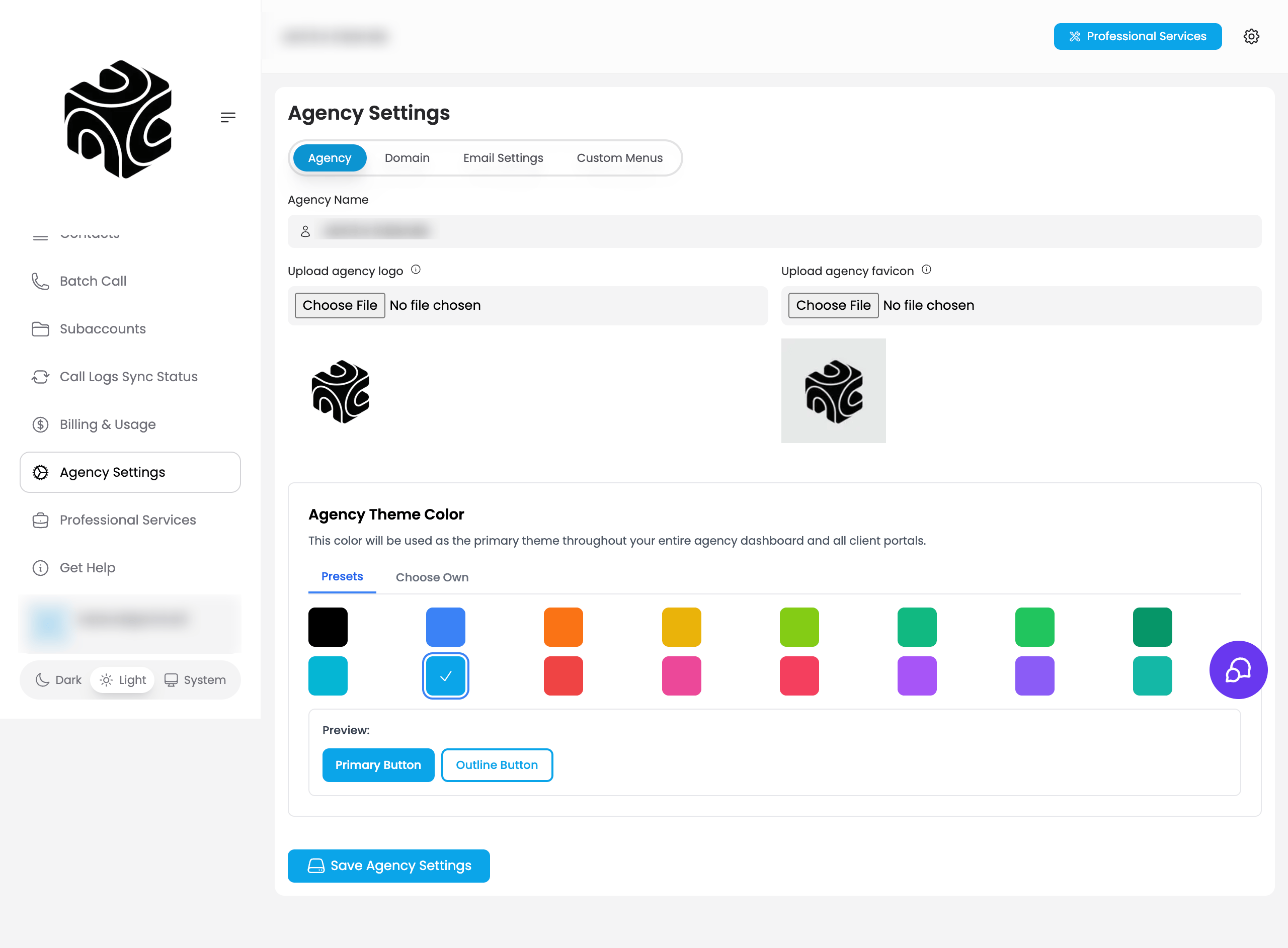
> Set your agency name, logo, and favicon so clients see your brand, not Vapify.
**Estimated time:** 3 minutes
## Overview
This is the first step of the onboarding wizard. It sets the identity your clients will see throughout the platform (your agency name, logo, and favicon) instead of Vapify's.
## Prerequisites
* A Vapify agency account (created at signup)
## Steps
From the onboarding wizard's **Agency Details** step (or later, **Agency Settings → Agency tab**), enter your **Agency Name**. Use your registered business name. It appears in the dashboard, client-facing areas, emails, and invoices.
Use a high-resolution PNG, 200×200px minimum (400×400px recommended), ideally with a transparent background.
The small icon shown in browser tabs. Keep it simple; complex logos don't read well at 16×16px.
Click **Save & Continue**.
Branding changes require you to log out and log back in before they appear across the platform.
Use your registered business name for professionalism. Your logo is visible to every client you onboard.
## Video Tutorial
## Troubleshooting
* **Logo or favicon not appearing**: Log out and back in, clear your browser cache, and confirm your file is under 2MB (logo) or 100KB (favicon).
## Related Articles
* [Custom Domain](/white-label/custom-domain): extend branding to your own subdomain
* [Custom Email](/white-label/custom-email): send platform emails from your own domain
* [Agency Branding](/white-label/agency-branding): full reference for logo, favicon, and name specs