> ## Documentation Index
> Fetch the complete documentation index at: https://docs.vapify.agency/llms.txt
> Use this file to discover all available pages before exploring further.
# Wallet & Credits
> The difference between client Balance and agency-granted Credits, and how they get spent.
## Overview
Clients fund calls from two separate wallets: **Balance** and **Credits**. Understanding the difference prevents billing confusion.
## Balance vs. Credits
| | Balance | Credits |
| --------------- | ------------------------------------- | --------------------------------- |
| **Source** | Client loads it themselves via Stripe | Agency adds it manually |
| **Control** | Client's, self-service | Agency's discretion |
| **Typical use** | Ongoing prepaid funds | Promotions, bonuses, compensation |
| **Expiry** | Doesn't expire | Never expires |
| **Refundable** | Yes (Stripe refund or account credit) | No, non-refundable once added |
Credits are always consumed before Balance. Example: \$25 Credits + \$75 Balance = \$100 available. After a \$30 charge: Credits drop to \$0, Balance drops to \$70.
## When Balance is required
* **Monthly Fee + Per-Minute model**: Balance is required for every per-minute charge.
* **Monthly Packages model**: Balance is only needed to cover overage once included minutes are used.
* **Demo accounts**: not required; demo calls are free.
## Adding Credits
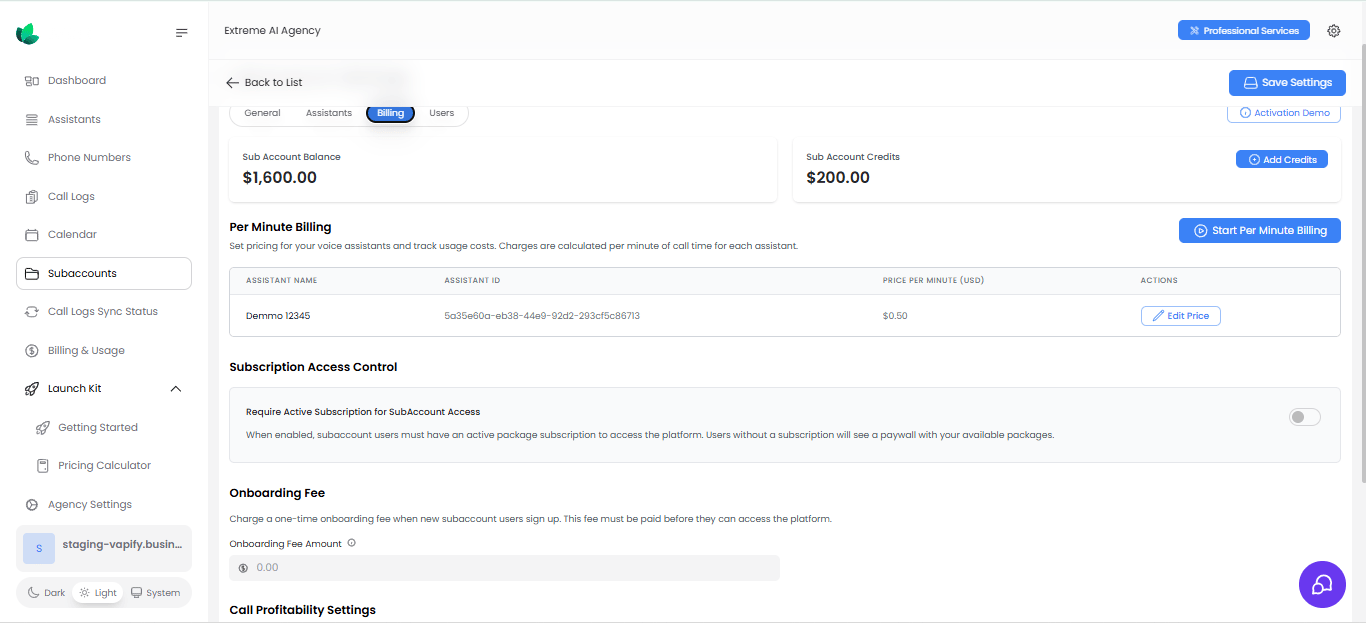
From the sub account's **Billing** tab, click **Add Credits** to grant promotional or bonus funds. Credits cannot be removed once added.
 ## Low balance behavior
As Balance runs low, clients see dashboard banners and (if configured) email alerts; at \$0, service is suspended until funds are added. Clients can enable **auto top-up** to replenish Balance automatically. See [Notifications](/running-your-agency/notifications) to adjust alert thresholds.
## Related Articles
* [How Billing Works](/billing/how-billing-works): where Balance and Credits fit in the money flow
* [Pricing Models](/billing/pricing-models): how Balance funds per-minute and overage charges
* [Notifications](/running-your-agency/notifications): low-balance alert configuration
## Low balance behavior
As Balance runs low, clients see dashboard banners and (if configured) email alerts; at \$0, service is suspended until funds are added. Clients can enable **auto top-up** to replenish Balance automatically. See [Notifications](/running-your-agency/notifications) to adjust alert thresholds.
## Related Articles
* [How Billing Works](/billing/how-billing-works): where Balance and Credits fit in the money flow
* [Pricing Models](/billing/pricing-models): how Balance funds per-minute and overage charges
* [Notifications](/running-your-agency/notifications): low-balance alert configuration